hikari bet Casino Mobile App
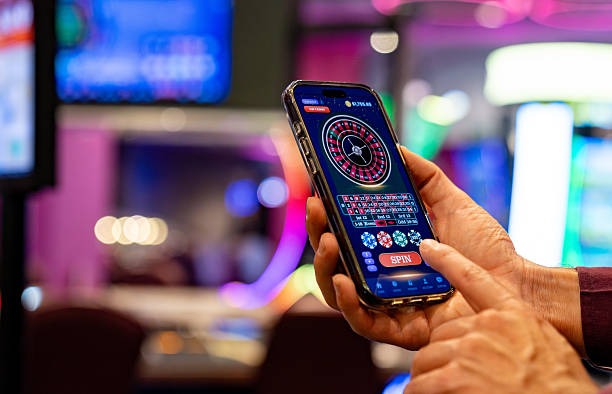
Our hikari bet mobile app brings live football, live-dealer tables, slots, and esports markets directly to your device. Whether you access via Android APK, iOS browser, or our web app, the core experience remains consistent: fast settlement, transparent odds, and direct access to e-wallet, mobile banking, local payment, online payment, e-wallet, mobile banking, and bank-transfer deposits.
- Update
- SHA256 Match
- and
- DownloadAPK
Mobile-first design matters because most of our users in Jakarta, Surabaya, Bandung, Medan, Semarang, and Yogyakarta access hikari bet during commutes, breaks, or evening hours. Our app prioritizes low-bandwidth operation, offline caching of your account state, and push notifications for live-market updates and settlement alerts. You retain full control over your balance, withdrawal requests, and account settings from any screen size.
We built the app to handle network interruptions gracefully. If your connection drops mid-session on a live-dealer table or during a Liga 1 market update, your pending actions are queued and resync automatically once connectivity returns. This approach ensures you never lose transaction data or miss a settlement notification, even in areas with variable signal strength.
Getting hikari bet on your device
Android APK
Download our native Android app directly from our site. The APK installs on Android 7.0 and above. You control the installation process and can update whenever we release new features or security patches.
Download APKiOS & Web
On iOS, access hikari bet through your Safari or Chrome browser. Our responsive web app works on iPhone 6s and later. No App Store approval needed; you get updates instantly when we deploy them.
Open Web AppInstallation steps
- Download: Visit hikari bet on your device browser or tap the Android APK link; the file downloads to your device storage.
- Install: On Android, open your file manager, locate the APK, and tap to install; grant permission when prompted. On iOS, bookmark the web app to your home screen for instant access.
- Register or log in: Enter your username and password, or create a new account with your email, mobile number, and preferred payment method.
- Start using hikari bet: Deposit via DANA, e-wallet, mobile banking, or bank transfer, then browse live football, live-dealer tables, slots, and esports markets.

App versus browser: what you gain
Our native Android app and web app both deliver the same market data and settlement logic, but the app adds offline caching, push notifications for Liga 1 kickoffs and live-dealer table openings, and faster load times on slower connections. The app stores your recent account state locally, so if you lose signal briefly, you can still view your balance and recent transactions. Browser access works equally well for casual use; you simply refresh to sync the latest data. Choose the app if you want instant notifications and smoother performance during peak hours; choose the browser if you prefer not to install anything or if you switch between devices frequently.
Device compatibility
We support Android 7.0 and above on phones and tablets. For iOS, Safari and Chrome work on iPhone 6s and later, iPad Air 2 and later, and iPod Touch (7th generation and later). Our web app is responsive and adapts to any screen size from 320px upward. If your device is older or runs an unsupported OS version, you can still access hikari bet through a mobile browser, though performance may be slower.
Common installation issues and fixes
On Android, if installation fails with "Unknown sources" error, go to Settings → Security and enable "Unknown sources" or "Install unknown apps" for your browser. Some devices require you to grant file-access permission to your file manager before the APK can run. If you see a certificate warning, this is normal for direct APK downloads; our certificate is valid and signed by our development team. On iOS, if the web app does not save to your home screen, try using Safari instead of Chrome, then tap Share → Add to Home Screen. If you experience crashes after installation, clear your app cache (Settings → Apps → hikari bet → Storage → Clear Cache) and restart.
Data, permissions, and account security
The hikari bet app requests permission to access your device's internet connection, storage (for offline cache), and notifications. We do not access your contacts, camera, or location. Your login credentials are encrypted in transit and stored securely on your device; we never log your password. When you withdraw funds, your bank details are encrypted and transmitted only to our payment processor. Two-factor verification is available in your account settings; we recommend enabling it if you use public Wi-Fi. If you lose your device, log in from another device and change your password immediately to lock out unauthorized access.

Why hikari bet on mobile matters
Mobile access to hikari bet is not just convenience; it reflects how modern sportsbook and live-dealer users engage with markets. Live football on Liga 1 and Piala Indonesia moves fast, and you need instant access to place or adjust your position. Live-dealer tables like blackjack, roulette, baccarat, and Dragon Tiger operate on real-time video feeds; delays cost you opportunities. Our app and web platform are built to minimize latency, so your bets settle within seconds of the market closing. Push notifications alert you to Idul Fitri holiday specials, Idul Adha tournament schedules, and Imlek seasonal promotions, so you never miss a market opening.
We also recognize that many users in Indonesia rely on mobile data rather than fixed broadband. Our app compresses images, defers non-critical assets, and uses efficient protocols to keep data usage low. If you are on a limited data plan, the app's offline mode lets you review your transaction history and account settings without a live connection. When you reconnect, all pending actions sync automatically.
Our commitment to hikari bet mobile experience is ongoing. We monitor crash reports, user feedback, and performance metrics to identify bottlenecks and fix them in regular updates. If you encounter a bug or have a feature request, contact our support team from your account dashboard. We read every report and prioritize fixes that affect settlement accuracy or payment processing.